

PingHoot Features / Response Time Monitoring
Website response
time monitoring.
Keep an eye on your website's performance and get alerted when response times get slower than you're comfortable with. PingHoot checks your website regularly and flags when it takes too long to respond.
Start monitoring for free5 monitors freeNo credit cardSet up in seconds
Your sites
All systems operationalThe little coffee shop
https://coffee.example
Your next big idea
https://nextbigidea.example
The portfolio
https://portfolio.example
Owl good. All sites up.
All monitored websites are passing their checks.
Please note: response time analytics are available on all plans, but only paid plans can create custom response time alerts.
What is response time monitoring
Monitor your website response times.
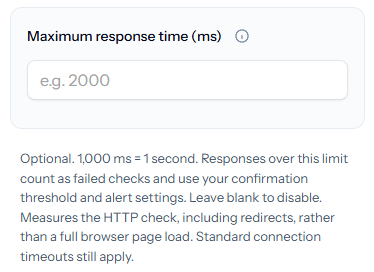
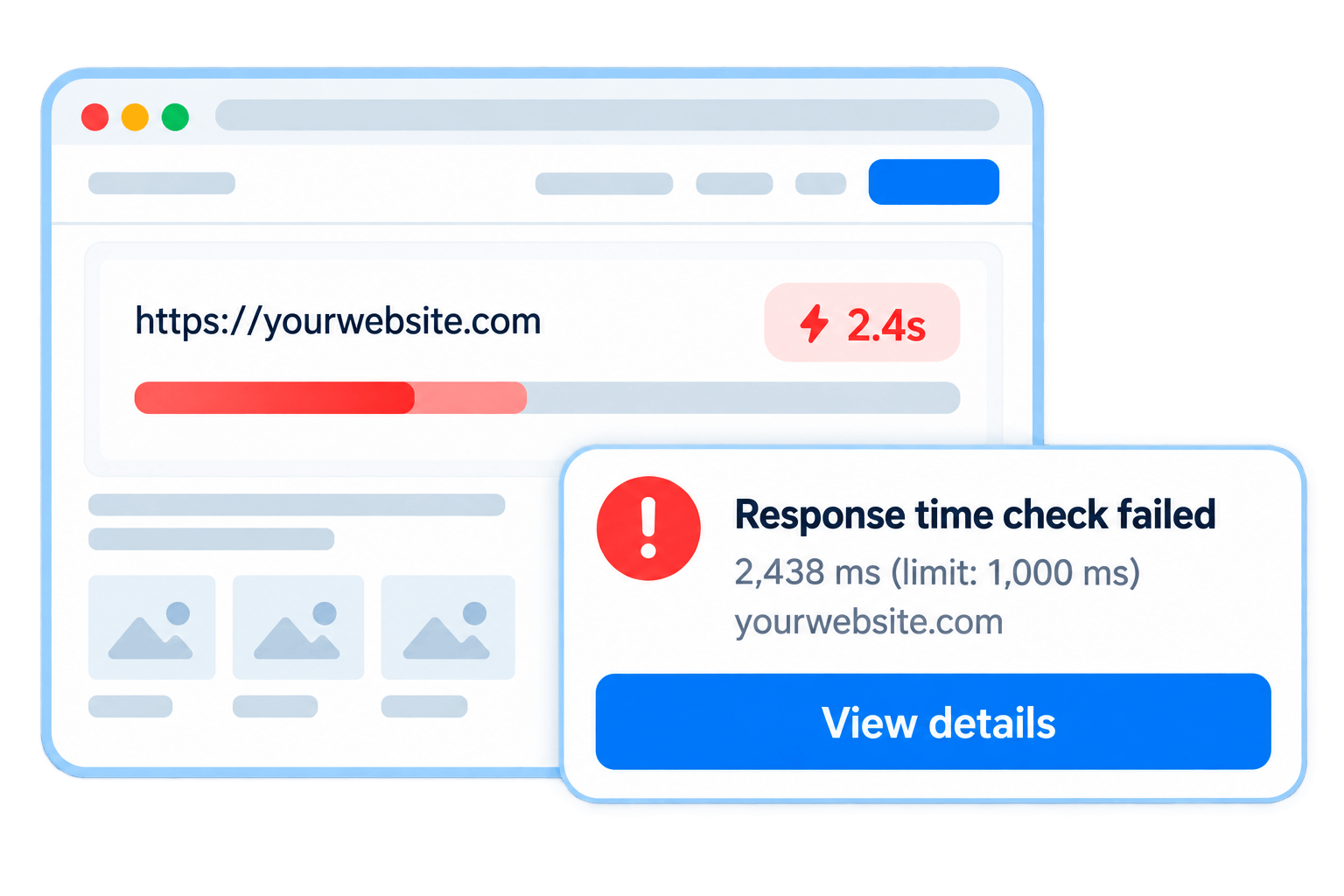
Response time monitoring checks how long it takes for your website to respond to a request. On paid plans, you can set a response time limit. Responses over that limit count as failed checks and use your confirmation threshold and alert settings.
This helps you spot performance issues early, before they affect your visitors or customers. A slow website can lead to a poor user experience, lost enquiries and sales, so knowing about it quickly lets you investigate and resolve the issue.

A fast website keeps visitors happy. We'll let you know if things start to slow down.
You set the maximum
response time.
We check at the
interval on your plan.
Get an alert if it's
too slow
Spot and fix
performance issues easily.
How it works
Simple, flexible response
time monitoring.
Response times are recorded on every plan. Paid plans can add custom response-time limits to their website monitoring. Set a limit that works for you. If your website takes longer than this to respond, PingHoot will count it as a failed check and use your confirmation threshold and alert settings.
Set your limit
Choose the maximum response time (in milliseconds)
Regular checks
We check at the interval on your plan.
Failed check
Responses over your limit count as failed checks.
Custom alerts
Get notified by email or SMS when your configured checks confirm an outage.
Track performance
View response time history in your dashboard.
Spot performance issues early
Keep your website running
smoothly.
Slow response times can be caused by a range of issues. Monitoring helps you find out about them quickly, so you can investigate and fix the problem before it affects your visitors.
High server load
Your server is struggling under heavy load.
Database issues
Slow database queries or connectivity problems.
Large page responses
Large HTML responses taking longer to transfer.
Inefficient code
Pages taking too long to generate.
External services
Third party services taking longer to respond.
Increased traffic
A sudden spike in visitors.
Response time tracking
See how your website is performing.
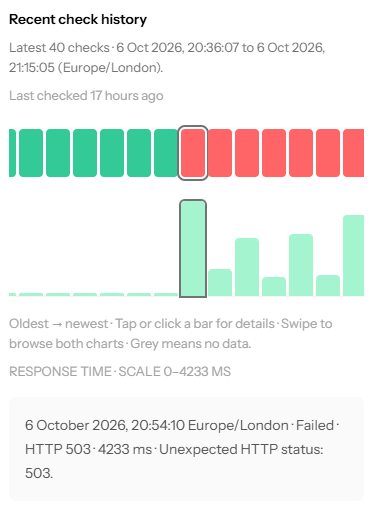
View detailed response time monitoring history for each monitor, so you can keep an eye on performance over time and spot trends or recurring issues.
Response time history
See recorded response times and the average across successful checks.
Easy to spot issues
Identify when response times start to increase.
Combine with other checks
Use alongside uptime and keyword checks for a broader view of your website health.
Take action
Investigate and fix problems before they affect your users.
What to look for
What's a good response time?
Response time vs page load time: PingHoot measures the HTTP request, including redirects - not a full browser page load. Images, JavaScript, CSS and other page resources aren't loaded or rendered as part of this check.
There's no single "right" response time, as it depends on your website and hosting setup. As a general guide:
Under 500 ms
Excellent. Your website is responding quickly.
500 ms - 1,000 ms
Generally good, but there may be room for improvement.
Over 1,000 ms
Response times might be worth investigating.
Many websites aim to keep response times under 500 ms as a useful baseline, but what matters most is consistency and spotting when things get slower than usual.

Leave the night shift to the owl.
Close the laptop. PingHoot will keep watch and alert you when your websites need attention.
Start monitoring for free